Upgrading Firefox from 3.0 to 3.5 on Ubuntu proved to be unusually awkward, however I got there in the end.
As 3.5 is now in the Ubuntu repositories I simply selected it in Synaptic Package Manager, clicked "apply" and it installed smoothly, however when I ran Firefox from the icon it actually launched Firefox 3.0 - not the shiny new 3.5 I was expecting. This was fixed by changing the symbolic link to point to the right version.
In the /usr/bin directory I ran "sudo rm firefox" to remove the existing link and "sudo ln firefox-3.5 firefox" to create the new link, allowing Firefox 3.5 to load as default.
So whilst happily launching Firefox 3.5 I now got an error message stating "XML Parsing Error: undefined entity Location: chrome://browser/content/browser.xul Line Number 34, Column 1" and of course Firefox crashed out.
To fix this I deleted the existing profile by running "mv .mozilla .mozilla.old" in the home directory "/home/yourname".
So after two quick fixes it's up and running and appears to be quite good.
I decided to blog this as otherwise I'd end up repeating the procedure and wonder how I fixed it last time :)
Tuesday, August 11, 2009


Monday, March 23, 2009
Shutter - Screenshot tool on Ubuntu
Screenshots are a necessary evil in order to make various documents a little more accessible. Various tools exist to do this and it all comes down to ease of use and personal preference.
Shutter is a new app for Ubuntu and it's the best tool yet in terms of being able to select the section of screen that I want to grab - and it can be downloaded here
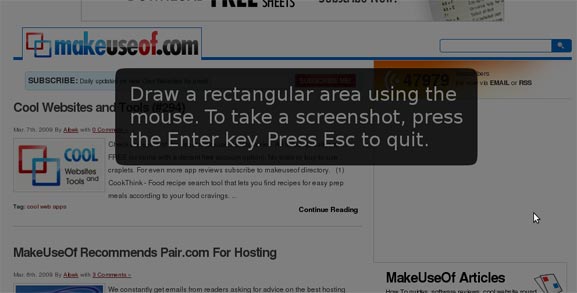
It's a bit strange to take a screenshot of a screenshot tool - so here's a link to the shutter website instead along with a suitable screenshot.
Shutter is a new app for Ubuntu and it's the best tool yet in terms of being able to select the section of screen that I want to grab - and it can be downloaded here
It's a bit strange to take a screenshot of a screenshot tool - so here's a link to the shutter website instead along with a suitable screenshot.
Monday, March 16, 2009
Notes 8.5.1 on Ubuntu - composite applications
We had a recent update to the latest build on Lotus Notes 8.5.1 on Ubuntu. As usual the update appeared to go perfectly.
One of the new capabilities I had looked forward to was the inclusion of the Composite Application Editor (cae). The synaptic package name was "ibm-notes-cae".
When I created a new Composite application - I was given the instruction to use the ..."'Actions > Edit application' menu item to add content." Alas the "Actions" menu was not visible. First I tried removing the ibm-notes-cae package and reinstalling it, however this had no effect.
Ray Davies suggested I shut down Notes and rename the "workspace" directory within the notes/data directory and restarting the Notes Client. After a restart the "Actions" menu appeared and I could edit the composite app.
I did have to recreate the previous widgets I had been using - but that was not such a big deal - and I was back to work in five minutes flat.
Which was nice :-)
One of the new capabilities I had looked forward to was the inclusion of the Composite Application Editor (cae). The synaptic package name was "ibm-notes-cae".
When I created a new Composite application - I was given the instruction to use the ..."'Actions > Edit application' menu item to add content." Alas the "Actions" menu was not visible. First I tried removing the ibm-notes-cae package and reinstalling it, however this had no effect.
Ray Davies suggested I shut down Notes and rename the "workspace" directory within the notes/data directory and restarting the Notes Client. After a restart the "Actions" menu appeared and I could edit the composite app.
I did have to recreate the previous widgets I had been using - but that was not such a big deal - and I was back to work in five minutes flat.
Which was nice :-)
Monday, January 12, 2009
Charging a blackberry on Ubuntu - barry
My Blackberry Curve is pretty handy - but it wasn't charging from the USB on the Thinkpad running Ubuntu.
I installed "barry" from here and ran the "bcharge" command from the command line which reportedly ups the USB from 100ma to 400ma.
The Curve seems to be charging now ! lovely.
All thanks to the dapper Martin Owens
I installed "barry" from here and ran the "bcharge" command from the command line which reportedly ups the USB from 100ma to 400ma.
The Curve seems to be charging now ! lovely.
All thanks to the dapper Martin Owens
Sunday, January 11, 2009
Reply to all email storm - don't blame the users
I always thought that reply to all was a bad idea as a default, It's nice that it is no longer the default in Notes, however this story does take it a little further.
An email storm has been created, apparently, by too many people doing "reply to all". However the resolution seems to be to blame the users of the system and ask that they be disciplined for clicking "reply to all" when using large distribution lists.
Maybe they are missing a point and should upgrade to Notes 8.5 :-)
An email storm has been created, apparently, by too many people doing "reply to all". However the resolution seems to be to blame the users of the system and ask that they be disciplined for clicking "reply to all" when using large distribution lists.
Maybe they are missing a point and should upgrade to Notes 8.5 :-)
Tuesday, December 23, 2008
Mobile and not so mobile access to Domino apps
I was recently checking out the IdeaJam website and really liked the work that Bruce and Matt having been doing there. Matts use of xPages has resulted in a very functional yet modern looking web application that just happens to be built on Domino.
Matt has recently been working with the Hursley team on the xPages workshop - so he knows a thing or two about the subject.
I noticed that there was a url to access IdeaJam via the iPhone. Take the time to have a look as it's a lovely piece of work. Bruce informed me that this was based on work by Jeff Gilfelt - with instructions on how to do it here.
This should make it easy to give iPhone users access to Domino data - at least to view it, however it also shows up really well as a widget in the notes 8.5 sidebar, (which is nice).

Matt has recently been working with the Hursley team on the xPages workshop - so he knows a thing or two about the subject.
I noticed that there was a url to access IdeaJam via the iPhone. Take the time to have a look as it's a lovely piece of work. Bruce informed me that this was based on work by Jeff Gilfelt - with instructions on how to do it here.
This should make it easy to give iPhone users access to Domino data - at least to view it, however it also shows up really well as a widget in the notes 8.5 sidebar, (which is nice).

Wednesday, December 10, 2008
How to determine the version of Portal or Quickr you are running
After installing Quickr I wanted to check for updates on the IBM Fix Central website.
The check for the correct fix the site requested whether I was using version 8.0.0.0 or 8.0.0.2.
To check this I looked for the file C:\IBM\Quickr\PortalServer\version\TS.product which is an xml file - Wordpad should be ok to read it.
The installed version was listed as "8.0.0.0
Easy when you know how :-)
The check for the correct fix the site requested whether I was using version 8.0.0.0 or 8.0.0.2.
To check this I looked for the file C:\IBM\Quickr\PortalServer\version\TS.product which is an xml file - Wordpad should be ok to read it.
The installed version was listed as "
Easy when you know how :-)
Subscribe to:
Posts (Atom)